Motherboards button
Материнские платы
Graphics Card button
Видеокарта
Monitors button
Monitor Gamer
Power Supply button
Power Supply
Mini PC button
Мини-ПК
Industrial PC button
Коммерческие ПК
Server/WS button
Серверы и рабочие станции
Loading

Мы используем «cookies» только для улучшения просмотра сайта.
Просматривая этот сайт, вы соглашаетесь на использование наших «cookies». Если вы не хотите использовать «cookies» или хотите узнать об этом подробнее, ознакомьтесь с нашей Политикой приватности.

Вопросы-Ответы

Выберете одну из следующих категорий, если вы знаете, к какой из них относится ваш вопрос:

Результаты:
B (Q&A-184|544): My system has hardware monitoring software installed, such as HWiNFO64. My computer fails to boot after restarting. What should I do?(5/14/2025)
O:On the AMD AM5 platform, restarting the system while hardware monitoring software is running may cause a reboot to fail.
If your system can boot normally but encounters issues during a restart, please close all hardware monitoring software and try restarting the system again.
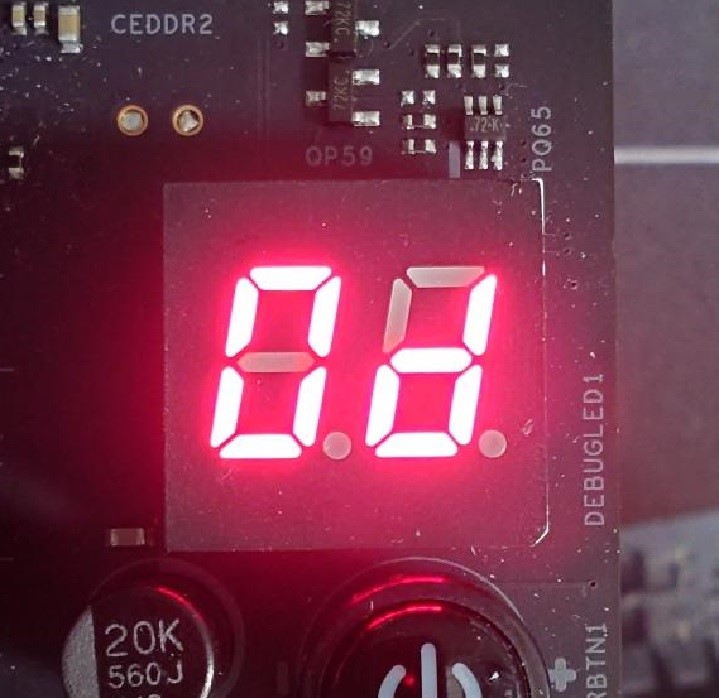
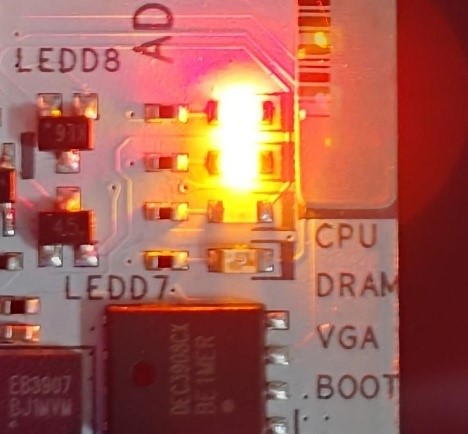
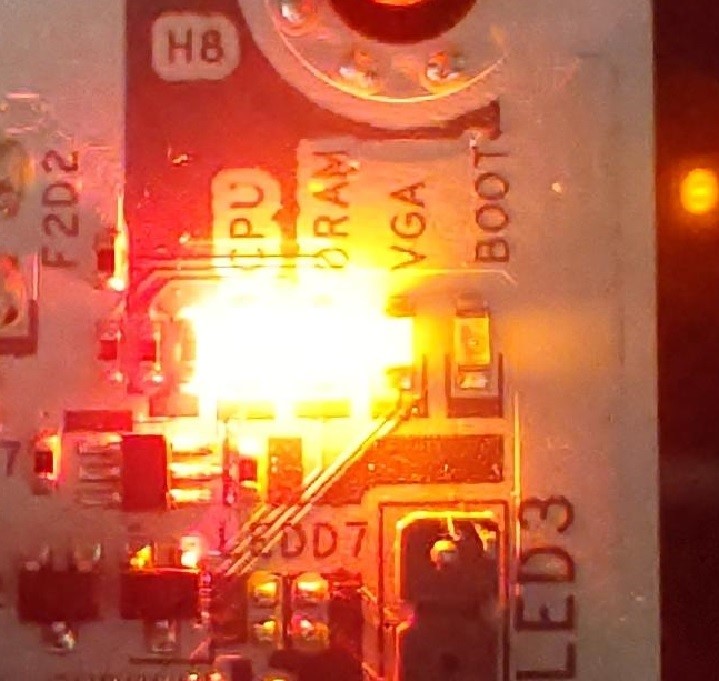
When the system fails to reboot properly, the motherboard's "Dr. Debug” display and "Post Status Checker (PSC)” may show the following statuses:

X870E Nova WiFi

X870 Pro RS

X870 Steel Legend WiFi

Dr. Debug display "0d”.

The CPU and DRAM LEDs will remain solidly lit.

The CPU LED will remain solidly lit, and the DRAM LED will blink.

Dr. Debug display The CPU and DRAM LEDs will remain solidly lit.The CPU LED will remain solidly lit, and the DRAM LED will blink.


#AM5 #reboot #Dr. #Debug #Post #Status #Checker #PSC