Motherboards button
Serie Placas Base
Graphics Card button
Serie Placas de video
Monitors button
Monitor De Juego
Power Supply button
Power Supply
Mini PC button
Serie Mini PC
Industrial PC button
Serie PC Industrial
Server/WS button
Serie Servidor / Estación de trabajo
Loading

Usamos cookies para ofrecerle una experiencia más personalizada y fluida.
Al visitar este sitio web, acepta nuestro uso de cookies. Si prefiere no aceptar cookies o necesita más información, visite nuestra Política de privacidad.

FAQ - Preguntas más frecuentes

Si está completamente seguro de la categoría de su pregunta, puede elegir más abajo una de las categorías para preguntas más frecuentes. Catálogo de Preguntas más frecuentes:

Resultados:
P (544): My system has hardware monitoring software installed, such as HWiNFO64. My computer fails to boot after restarting. What should I do?(5/14/2025)
R:On the AMD AM5 platform, restarting the system while hardware monitoring software is running may cause a reboot to fail.
If your system can boot normally but encounters issues during a restart, please close all hardware monitoring software and try restarting the system again.
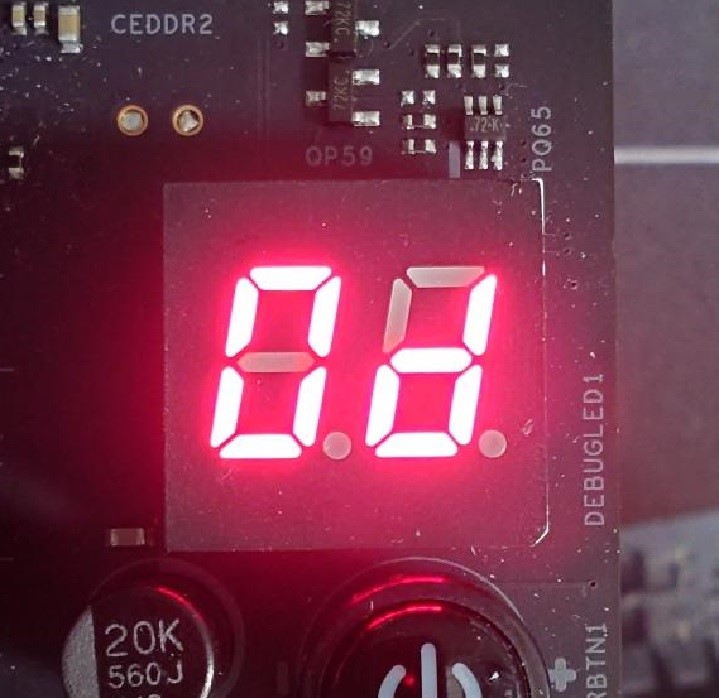
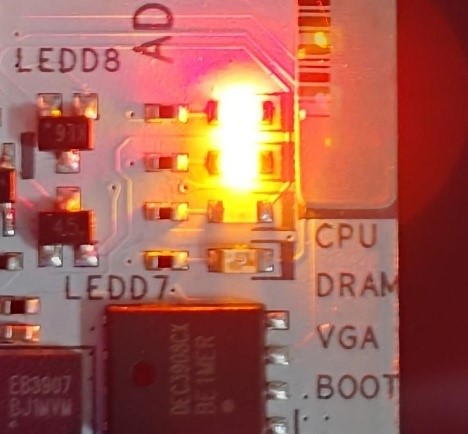
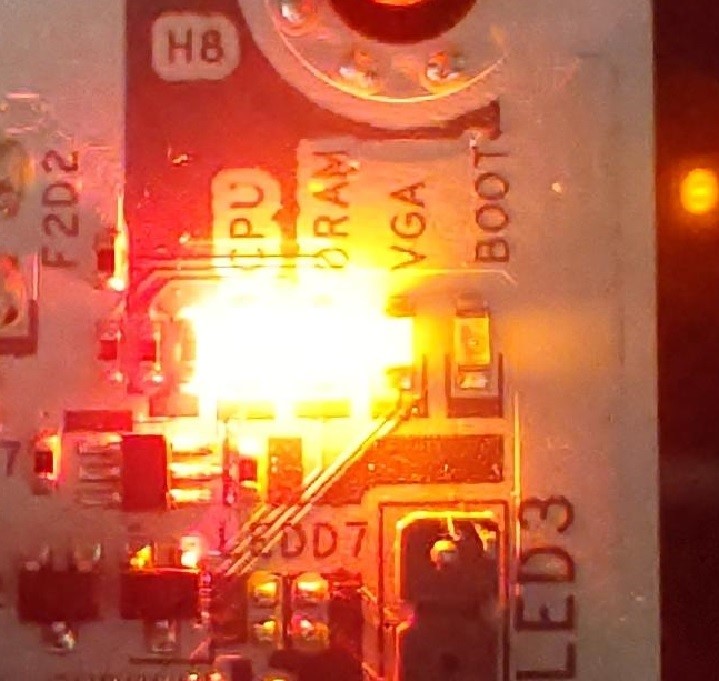
When the system fails to reboot properly, the motherboard's "Dr. Debug” display and "Post Status Checker (PSC)” may show the following statuses:

X870E Nova WiFi

X870 Pro RS

X870 Steel Legend WiFi

Dr. Debug display "0d”.

The CPU and DRAM LEDs will remain solidly lit.

The CPU LED will remain solidly lit, and the DRAM LED will blink.

Dr. Debug display The CPU and DRAM LEDs will remain solidly lit.The CPU LED will remain solidly lit, and the DRAM LED will blink.


#AM5 #reboot #Dr. #Debug #Post #Status #Checker #PSC