Motherboards button
Serie Placas Base
Graphics Card button
Serie Placas de video
Monitors button
Monitor De Juego
Power Supply button
Power Supply
Mini PC button
Serie Mini PC
Industrial PC button
Serie PC Industrial
Server/WS button
Serie Servidor / Estación de trabajo
Loading

Usamos cookies para ofrecerle una experiencia más personalizada y fluida.
Al visitar este sitio web, acepta nuestro uso de cookies. Si prefiere no aceptar cookies o necesita más información, visite nuestra Política de privacidad.

FAQ - Preguntas más frecuentes

Si está completamente seguro de la categoría de su pregunta, puede elegir más abajo una de las categorías para preguntas más frecuentes. Catálogo de Preguntas más frecuentes:

Resultados:
P (521): How do I install Windows 11 without the Internet?(9/28/2022)
R:If you encounter the following screen while installing Windows 11, please follow the steps below to proceed install Windows 11 without the Internet.
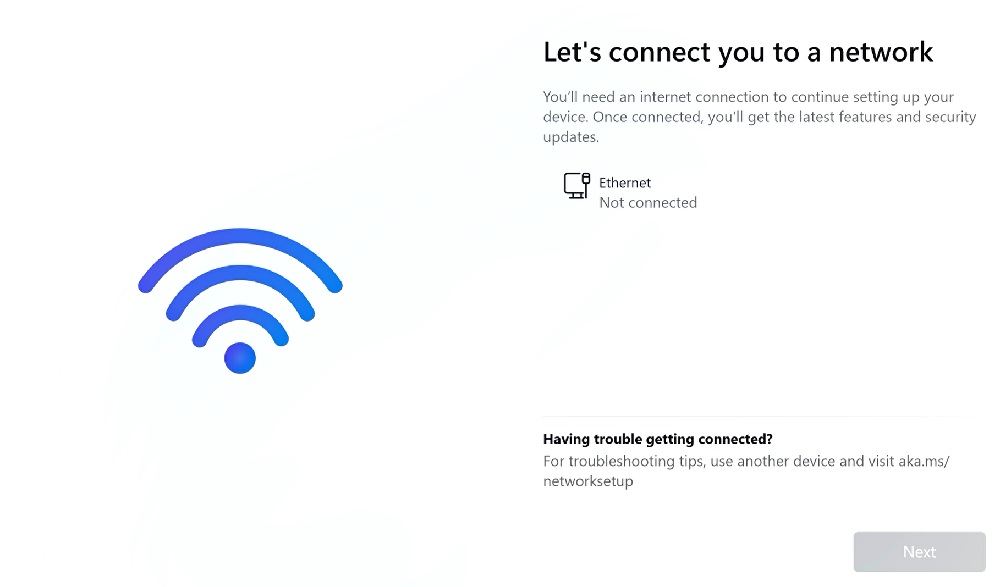
How do I install Windows 11 without the Internet?

Step 1: Press shift + F10 key to open command prompt → Type oobe\bypassnro → Hit Enter key to set up Windows 11 without an Internet connection.
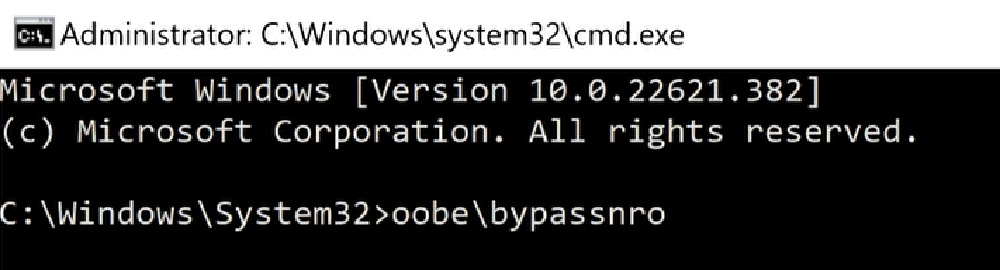
How do I install Windows 11 without the Internet? Step1

Step 2: After step 1, the system will restart once.

Step 3: After restart, proceed on settings up Windows 11 until you see the following screen. Then click I don't have internet.
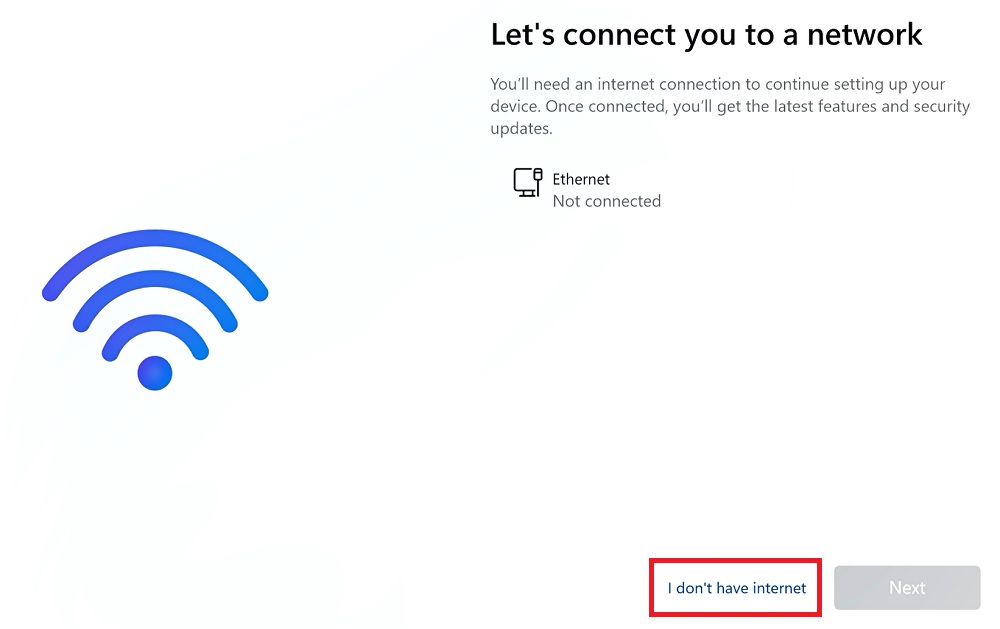
How do I install Windows 11 without the Internet? Step3

Step 4: Click Continue with limited setup to create an local account.
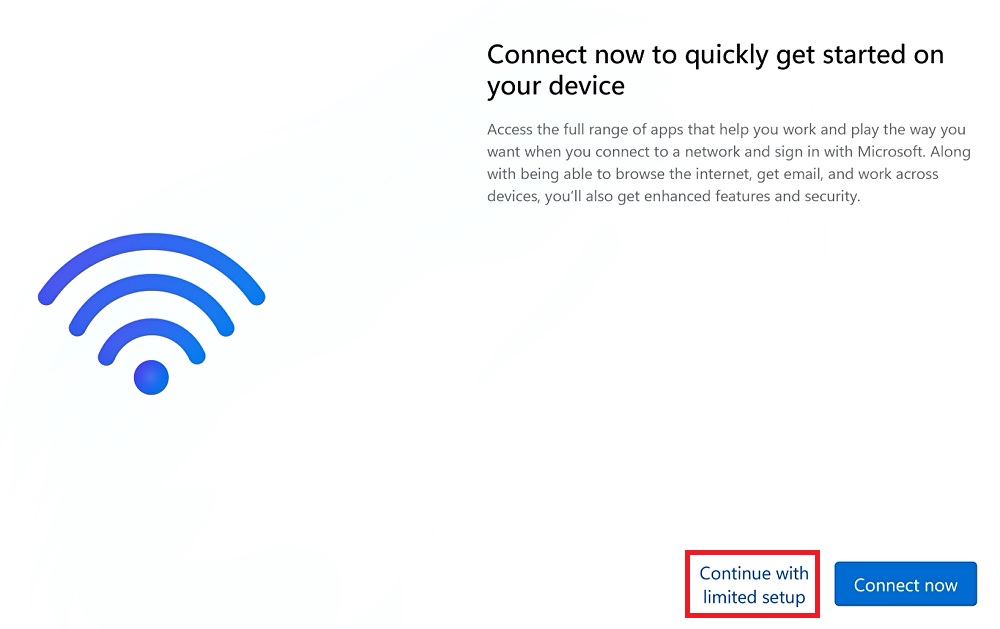
How do I install Windows 11 without the Internet? Step4