Motherboards button
Mainboard
Graphics Card button
Grafikkarte
Monitors button
Gaming-Monitor
Power Supply button
Power Supply
Mini PC button
Mini-PC
Industrial PC button
Industrie-PC
Server/WS button
Server/Workstation
Loading

Wir verwenden Cookies, um Ihnen ein individuelles und reibungsloses Erlebnis zu bieten.
Wenn Sie diese Website besuchen, stimmen Sie unserer Verwendung von Cookies zu. Wenn Sie es vorziehen, keine Cookies zu akzeptieren oder weitere Informationen benötigen, lesen Sie bitte unsere Datenschutzerklärung.
FAQ

Fallls Sie wissen, in welche Kategorie Ihre Frage gehört, können Sie hier die Kategorie der häufig gestellten Fragen auswählen. Katalog:

Ergebnisse:
Q (Q&A-179|535): How can I use Intel default settings on my Intel 600/700-series motherboard?(8/28/2024)
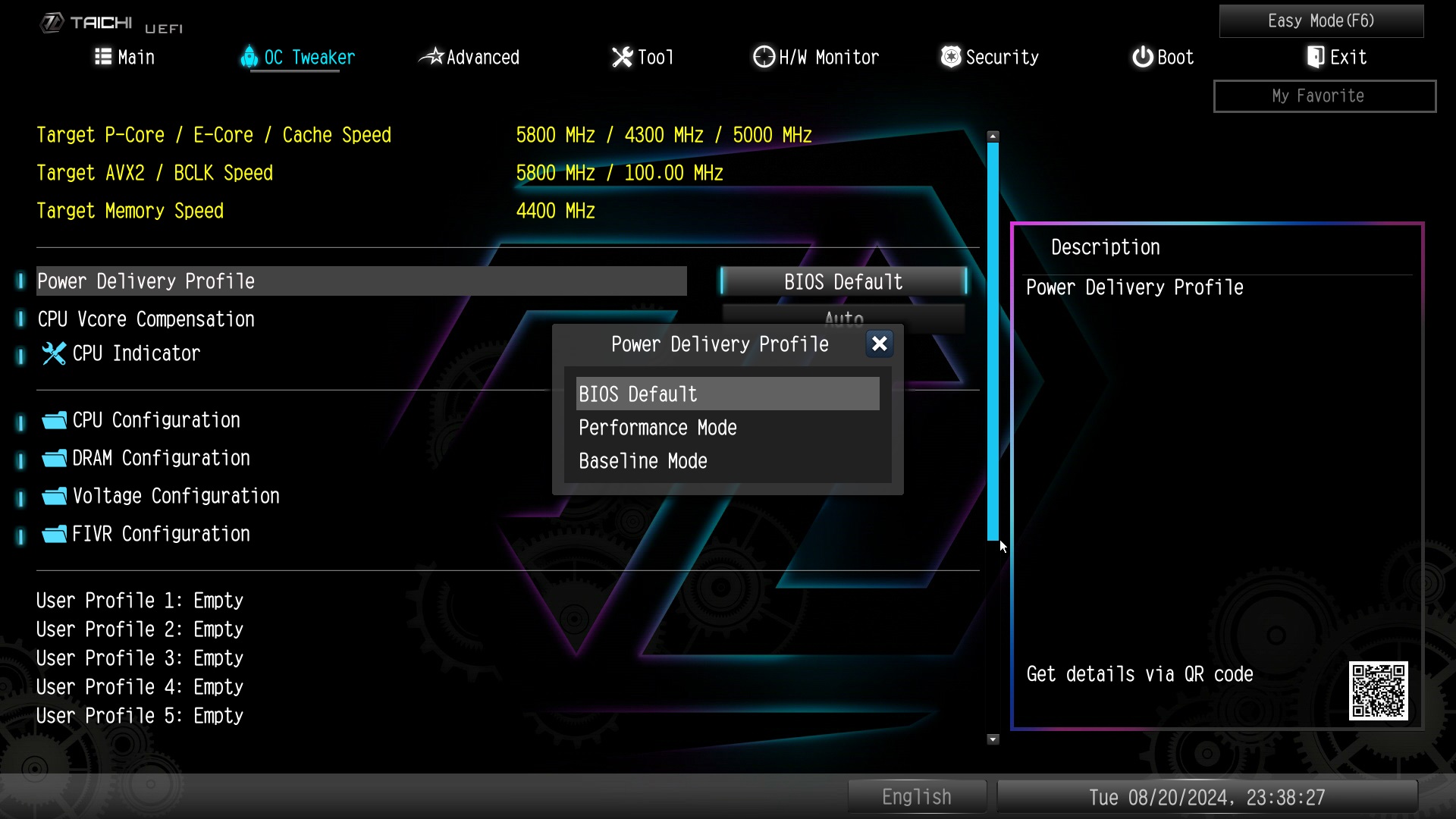
A:ASRock provides 3 profiles for users to select. Two of these profiles are provided by Intel.
We recommend trying the BIOS Default profile first.
If your system is not stable with the BIOS default profile, you can try Baseline Mode.

ASRock provides 3 profiles for users to select. Two of these profiles are provided by Intel.

BIOS profile

Description

Note

BIOS Default

Intel Performance mode

BIOS Default

Performance Mode

ASRock Extreme mode


Baseline Mode

Intel Baseline mode


#Intel #Default #Mode #Intel #700 #Intel #600 #unstable #Intel #Baseline #Mode