A:Please refer to the following for the
Bitlocker status,
Suspend /
Resume Bitlocker and TPM version information.
[Bitlocker Drive Encryption]
(1) Bitlocker status
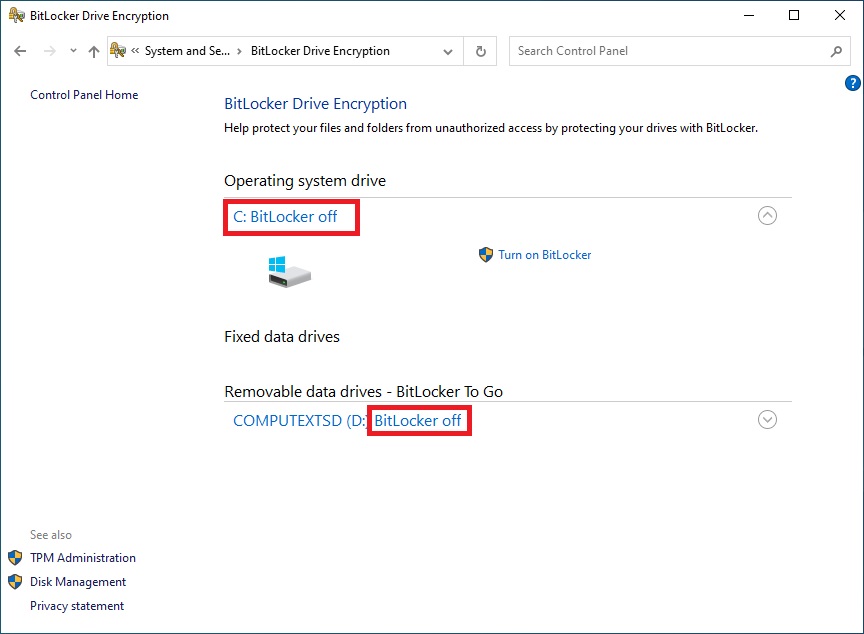
To check the Bitlocker status, please refer to the following steps.
Step 1 – Please go to Control Panel > System and Security > Bitlocker Drive Encryption
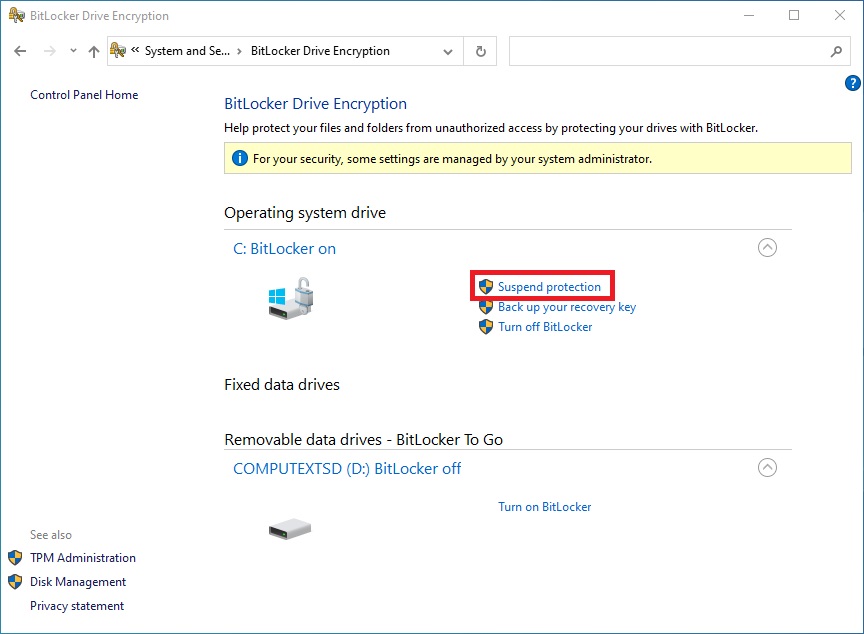
Step 2 – The Bitlocker status is shown under the red-boxed section as in the following picture.
 (2) Suspend / Resume Bitlocker
The bitlocker feature can be suspended and resumed when Bitlocker Drive Encryption is enabled.
Step 1 – Please go to Control Panel > System and Security > Bitlocker Drive Encryption
Step 2 – Click the "Suspend protection” as shown in the red-boxed below.
(2) Suspend / Resume Bitlocker
The bitlocker feature can be suspended and resumed when Bitlocker Drive Encryption is enabled.
Step 1 – Please go to Control Panel > System and Security > Bitlocker Drive Encryption
Step 2 – Click the "Suspend protection” as shown in the red-boxed below.
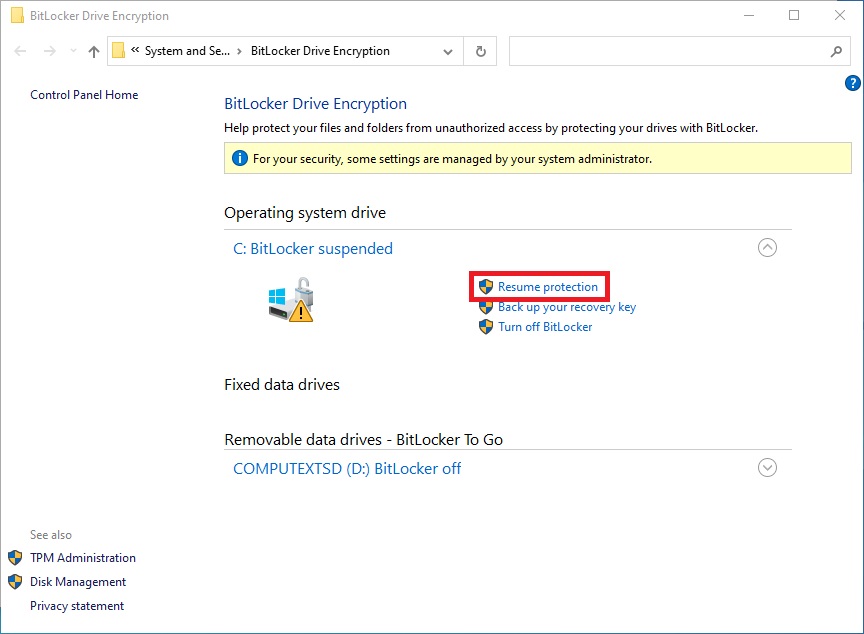
 Step 3 – Click the "Resume protection” as shown in the red-boxed below.
For more information, please refer to the Microsoft website.
https://docs.microsoft.com/en-us/windows/security/information-protection/bitlocker/bitlocker-overview
[TPM Version]
To check the TPM version, please refer to the following steps.
Step 1 – Press hotkeys "Windows + R” together to open the Run box.
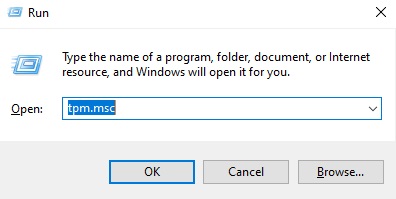
Step 2 – Type in "TPM.MSC" to open the Windows TPM management tool.
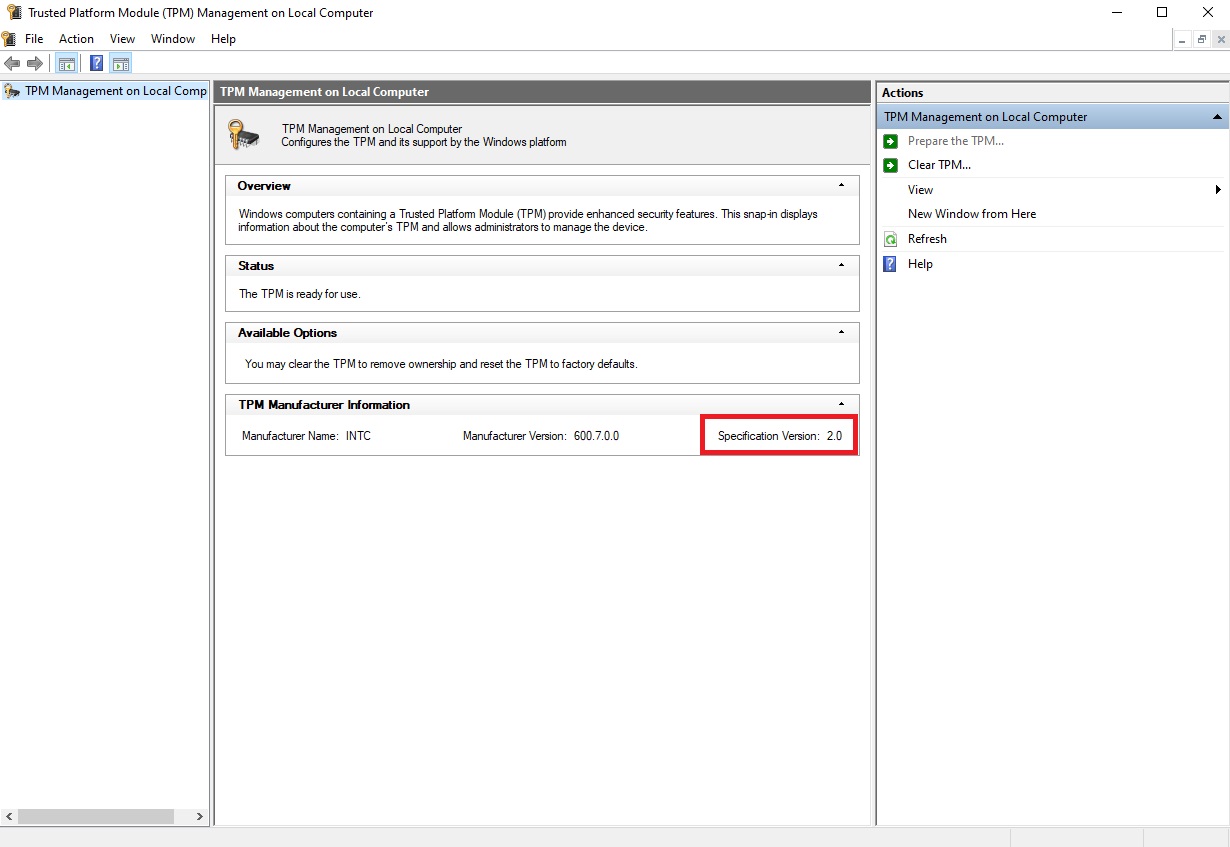
 Step 3 – The TPM Management window will open.
Information such as TPM version can be found in the TPM Management window.
Step 3 – The TPM Management window will open.
Information such as TPM version can be found in the TPM Management window.
 Menü
Menü